 TROPIKALAPPS & GAME STUDIO
TROPIKAL APPS & GAME STUDIO
Describa su idea. Diseñe apps y juegos con ayuda de IA. Entregue el diseño completo para implementarlo. Describe your idea. Design apps and games with AI assistance. Hand off the complete design for implementation.
0.1.11 · Kits, movimientos y edición más rápida0.1.11 · Kits, motion and faster editing
Los comportamientos típicos ya no hay que escribirlos ni pedirlos a la IA cada vez: el panel «Kits de comportamiento» trae 28 kits en 9 familias (enemigos, jugador, objetos, zonas, HUD, botones, navegación, formularios y datos) que se aplican al objeto seleccionado con un clic y se deshacen con Ctrl+Z. Cada objeto puede declarar un movimiento de ejemplo —ida y vuelta, círculo, órbita alrededor de otro objeto o ruta por puntos— y la vista previa lo anima con guías discontinuas; el HTML exportado incluye la misma animación y la IA final recibe los parámetros. Editar se acelera: Ctrl+arrastrar clona el objeto en el sitio, un tirador visual rota directamente en el lienzo y el botón ⛶ encuadra el nivel completo. La ficha del objeto ahora se reedita (rellena los campos al volver a abrirla), tiene modo paso a paso y plantillas de definición según el tipo de proyecto. El wizard de arranque ofrece un catálogo amplio de tecnologías con texto libre; las ideas de la IA traen botones Usar / Ajustar / Copiar; cada problema de la lista lleva al lugar exacto donde se arregla; y un diagrama draw.io puede entregarse a la IA, que pregunta lo que necesite antes de proponer cambios. El idioma es/en se cambia desde la barra superior.Typical behaviors no longer need to be written or requested from the AI every time: the “Behavior kits” panel ships 28 kits in 9 families (enemies, player, objects, zones, HUD, buttons, navigation, forms and data) applied to the selected object with one click and undoable with Ctrl+Z. Every object can declare an illustrative motion —ping-pong, circle, orbit around another object or a point path— and the preview animates it with dashed guides; the exported HTML includes the same animation and the final AI receives the parameters. Editing gets faster: Ctrl+drag clones the object in place, a visual handle rotates right on the canvas and the ⛶ button frames the whole level. The object sheet is now re-editable (fields refill when reopened), has a step-by-step mode and definition templates per project type. The startup wizard offers a broad technology catalog with free text; AI ideas carry Use / Adjust / Copy buttons; each issue in the list jumps to the exact place where it is fixed; and a draw.io diagram can be handed to the AI, which asks what it needs before proposing changes. Language es/en switches from the top toolbar.
0.1.10 · Más simple, mismo poder0.1.10 · Simpler, same power
Esta versión reduce lo que hay que entender sin quitar nada de lo que se puede hacer. El panel inferior queda en tres pestañas: Problemas (una sola lista con filtro de errores y avisos), Actividad e Historial. Los ajustes secundarios del lienzo —cuadrícula, tamaño y capas— se agrupan en un botón «Ajustes del lienzo»; la barra diaria deja zoom, snap, guías y vista previa. Las pestañas y etiquetas pasan a lenguaje llano: Proyecto, Piezas, Composiciones, Propiedades, Conexiones, Origen (Tú / IA). Inicio y el menú Ayuda muestran una guía de tres pasos —describe tu idea, diseña y revisa, entrega a tu IA— y cada paso lleva a su herramienta. El inspector de propiedades se activa solo al seleccionar un objeto, y la barra de estado sustuye el contador de tokens por un aviso de uso de IA al pasar el ratón.This release reduces what you need to understand without removing anything you can do. The bottom panel becomes three tabs: Problems (one list with an errors/warnings filter), Activity and History. Secondary canvas settings —grid, size and layers— are grouped under one “Canvas settings” button; the daily bar keeps zoom, snap, guides and preview. Tabs and labels switch to plain language: Project, Parts, Compositions, Properties, Connections, Origin (You / AI). Start and the Help menu show a three-step guide —describe your idea, design and review, hand off to your AI— and each step jumps to its tool. The property inspector activates itself when you select an object, and the status bar replaces the token counter with an AI usage note on hover.
0.1.9 · Más claro, más práctico0.1.9 · Clearer, more practical
La barra superior ahora tiene botones con nombre: Validar avisa del resultado con un mensaje, Revisar abre las comprobaciones con preguntas de IA, Entregar lleva directo al paquete para otra IA y IA muestra u oculta el asistente. La lista de problemas ya no se pierde al abrir uno: un navegador flotante permite pasar al anterior o al siguiente y volver a la lista sin revalidar. El asistente muestra qué está haciendo, con fase, segundos transcurridos y botón de detener. El botón derecho sobre un objeto permite definir su comportamiento y convertirlo en otro tipo (por ejemplo, personaje a enemigo), también desde el inspector. Las especificaciones se agrupan por familia y el editor añade formato, vista dividida y una ficha guiada por objeto. La IA varía sus propuestas: los niveles nuevos se diferencian de los existentes en tema, recorrido y mecánica, salvo que usted pida lo contrario.The top toolbar now has labeled buttons: Validate reports the result with a message, Review opens the checks with AI questions, Deliver goes straight to the handoff package for another AI, and AI shows or hides the assistant. The issue list is no longer lost when you open one: a floating navigator moves to the previous or next issue and back to the list without revalidating. The assistant shows what it is doing, with phase, elapsed seconds and a stop button. Right-clicking an object lets you define its behavior and convert it to another type (for example, character to enemy), also from the inspector. Specifications are grouped by family and the editor adds formatting, split view and a guided per-object sheet. AI varies its proposals: new levels differ from existing ones in theme, route and mechanic, unless you ask otherwise.
La IA propone pantallas y funcionamiento narrativo, construye el diseño por pasos y mejora elementos concretos. Ocho nuevas plantillas incluyen aventuras conversacionales con decisiones y finales. Importe kits gráficos, spritesheets, audio y modelos como recursos; revíselos y diseñe con ellos.AI proposes screens and plain-language behavior, builds the design step by step, and refines selected elements. Eight new templates include branching narrative adventures. Import graphics kits, sprite sheets, audio and models as resources, review them and use them in your design.
Arme maquetas con 53 piezas visuales en 10 familias y 43 composiciones en 12 familias, incluido masonry. Personajes, animales, robots, enemigos, vehículos y entornos arrastrables, girables y recoloreables. Prepare prompts para IA externa y hojas cómic o spritesheets con medidas exactas; importe la imagen y recorte sin reescalado. Reordene escenas y pantallas en el explorador arrastrándolas o con Subir/Bajar en el menú contextual; el orden se guarda y se deshace con Ctrl+Z. Refleje objetos en horizontal o vertical desde el inspector: el espejo se ve en el lienzo y en la vista previa, y viaja en el diseño exportado.Build mockups with 53 visual pieces in 10 families and 43 compositions in 12 families, including masonry. Drag, rotate and recolor characters, animals, robots, enemies, vehicles and environments. Prepare external AI prompts and comic or sprite sheets with exact dimensions; import the image and crop without rescaling. Reorder scenes and screens in the explorer by dragging or with Move up/down in the context menu; the order is saved and undoable with Ctrl+Z. Mirror objects horizontally or vertically from the inspector: the flip shows on the canvas and in the preview, and travels with the exported design.
Revise faltantes con preguntas y opciones recomendadas. Exporte un ZIP editable o una carpeta con especificaciones, recursos, licencias e informe HTML imprimible: Ctrl+P permite guardarlo como PDF. Esta etapa diseña; no genera ni ejecuta el juego o la aplicación. La visión depende del modelo configurado; los modelos 3D se conservan como recursos, no se renderizan.Review gaps with questions and recommended choices. Export an editable ZIP or a folder containing specifications, assets, license evidence and a printable HTML report: use Ctrl+P to save as PDF. This stage designs; it does not generate or run the game or app. Vision depends on the selected model; 3D models are preserved as resources, not rendered.
01La filosofía: tú transmites la idea, la IA resuelve la ingenieríaThe philosophy: you convey the idea, AI handles the engineering
Las personas piensan en imágenes, flujos y ejemplos, no en esquemas de base de datos ni en árboles de colisiones. En Tropikal tú dibujas lo que quieres y lo explicas con tus palabras; la IA se encarga de la complejidad técnica: entidades, datos, validaciones, mecánicas, colisiones… Y todo lo que la IA deduce queda marcado como tal, siempre revisable y aprobable por ti. People think in pictures, flows and examples — not database schemas or collision trees. In Tropikal you draw what you want and explain it in your own words; the AI takes care of the technical complexity: entities, data, validations, mechanics, collisions… And everything the AI infers is labeled as such, always reviewable and approvable by you.
02Cómo funcionaHow it works
pantallas, escenas y diagramas (draw.io integrado)You draw
screens, scenes and diagrams (built-in draw.io)
en lenguaje natural qué debe pasarYou explain
in natural language what should happen
entidades, datos, validaciones, mecánicasAI proposes
entities, data, validations, mechanics
procedencia: lo tuyo vs lo deducido por la IAYou review & approve
provenance: yours vs AI-inferred
APPS: web / Flutter / desktop · GAMES: GodotYou build
APPS: web / Flutter / desktop · GAMES: Godot
03Dos estudios especializados, un mismo IDETwo specialized studios, one IDE
Elige el estudio según lo que quieres crear. Cada uno aporta sus propias herramientas, plantillas y conocimientos de IA especializados. Pick the studio that matches what you want to create. Each one brings its own tools, templates and specialized AI knowledge.
APPS
ESTUDIO DE APLICACIONESAPPLICATION STUDIO
- Diseño visual de pantallas, formularios y dashboards.Visual design of screens, forms and dashboards.
- Modelo de datos y validaciones derivado de tu diseño.Data model and validations derived from your design.
- Diagramas de procesos y lógica con draw.io integrado.Process and logic diagrams with built-in draw.io.
- Destinos: web, Flutter (móvil) y escritorio.Targets: web, Flutter (mobile) and desktop.
GAMES
ESTUDIO DE VIDEOJUEGOSGAME STUDIO
- Diseño de escenas, personajes y mecánicas de juego.Design of scenes, characters and game mechanics.
- La IA resuelve colisiones, estados y reglas del juego.AI handles collisions, states and game rules.
- Diagramas de flujo de juego y lógica de niveles.Game-flow and level-logic diagrams.
- Godot como primer motor soportado.Godot as the first supported engine.
04CaracterísticasFeatures
Un entorno de trabajo completo, pensado para que diseñar sea tan serio como programar. A complete work environment, designed so that designing is as serious as programming.
IDE tipo Visual StudioVisual Studio–style IDE
Menús, explorador de proyecto, pestañas de documentos e inspector de propiedades. Familiar desde el primer minuto.Menus, project explorer, document tabs and property inspector. Familiar from minute one.
Edición en loteBatch editing
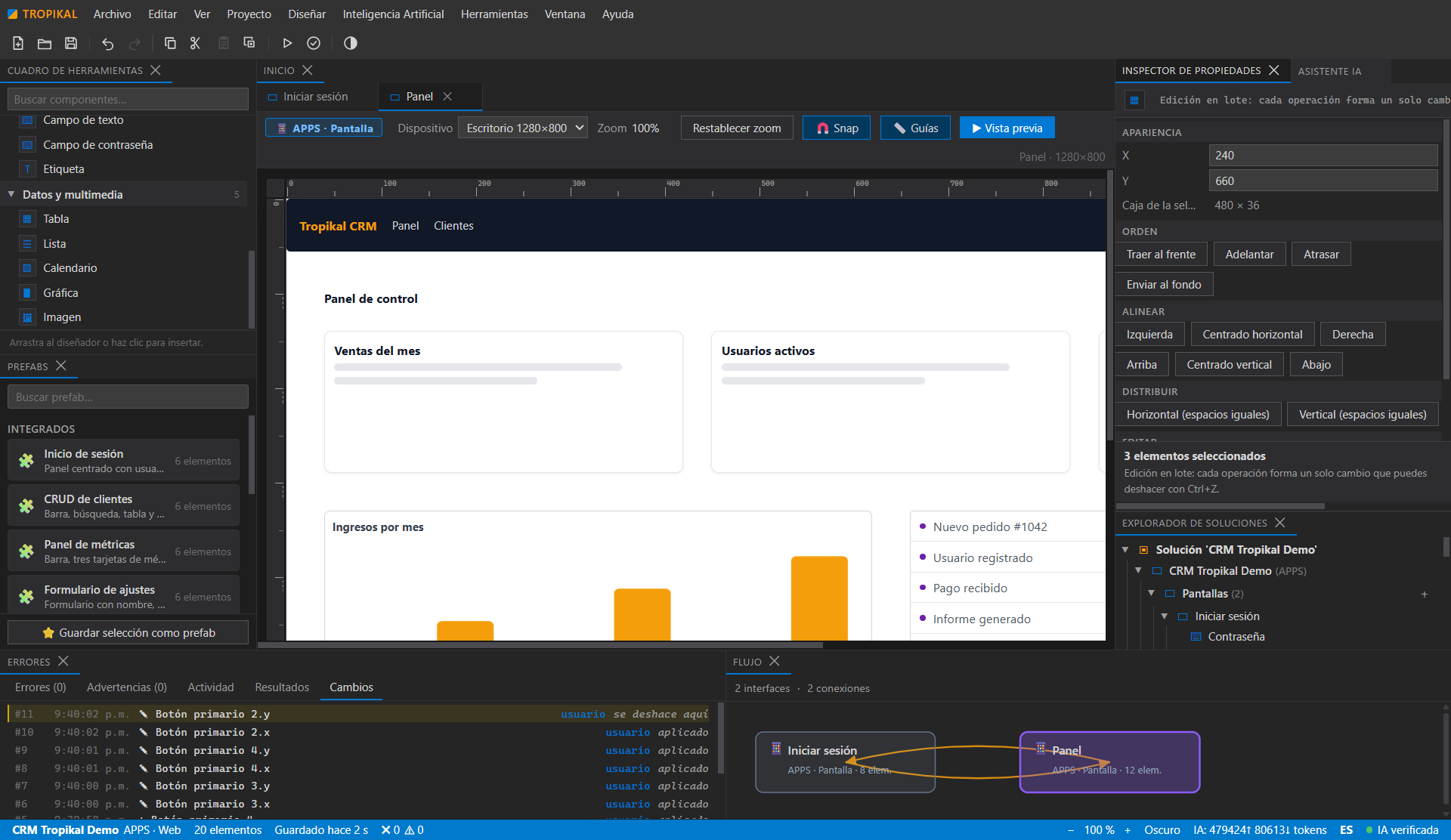
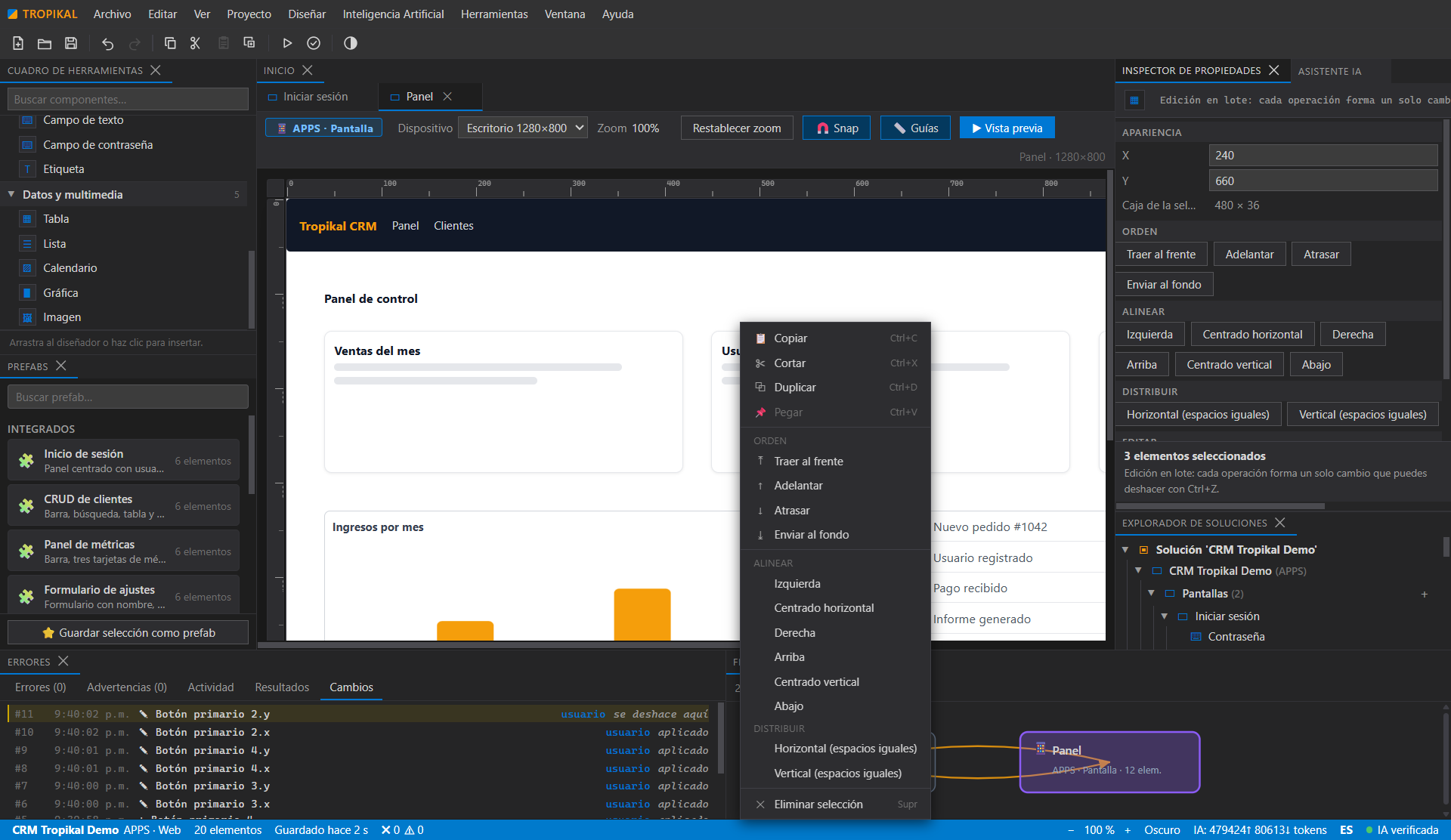
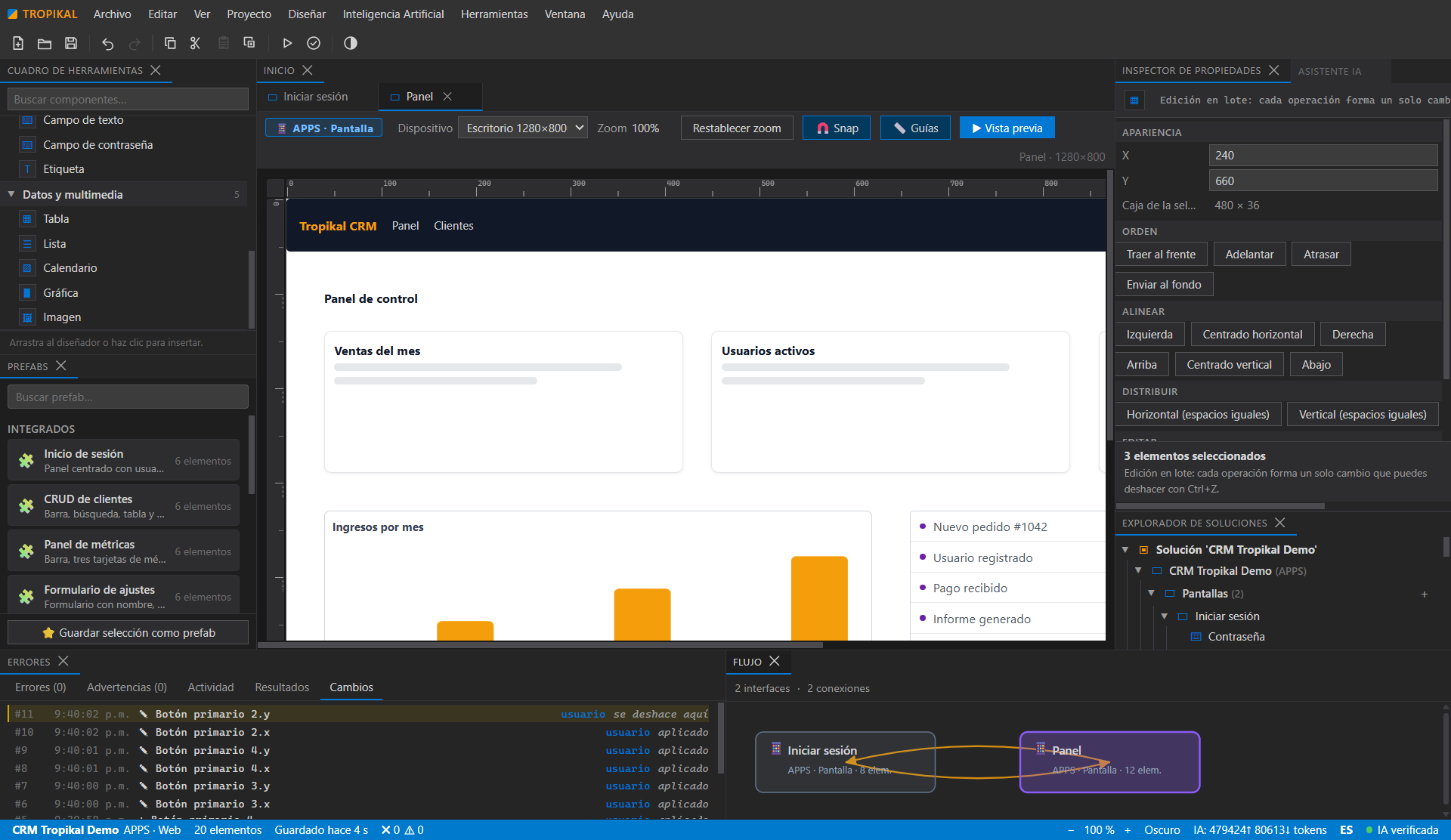
Selecciona varios elementos, alinea y distribuye, copia, corta, pega y duplica de a varios, y reordena el orden de pintado. Un solo Ctrl+Z revierte el lote completo.Multi-select elements, align and distribute, copy, cut, paste and duplicate in groups, and reorder painting. A single Ctrl+Z reverts the whole batch.
Manipulación directaDirect manipulation
Encuadra varios elementos arrastrando sobre el lienzo, ajusta posiciones al píxel con las flechas, usa el menú contextual en elementos, lienzo y árbol, y suelta imágenes desde el explorador de Windows para colocarlas en el diseño.Rubber-band multiple elements by dragging on the canvas, nudge to the pixel with the arrows, use the context menu on elements, canvas and tree, and drop images straight from Windows Explorer.
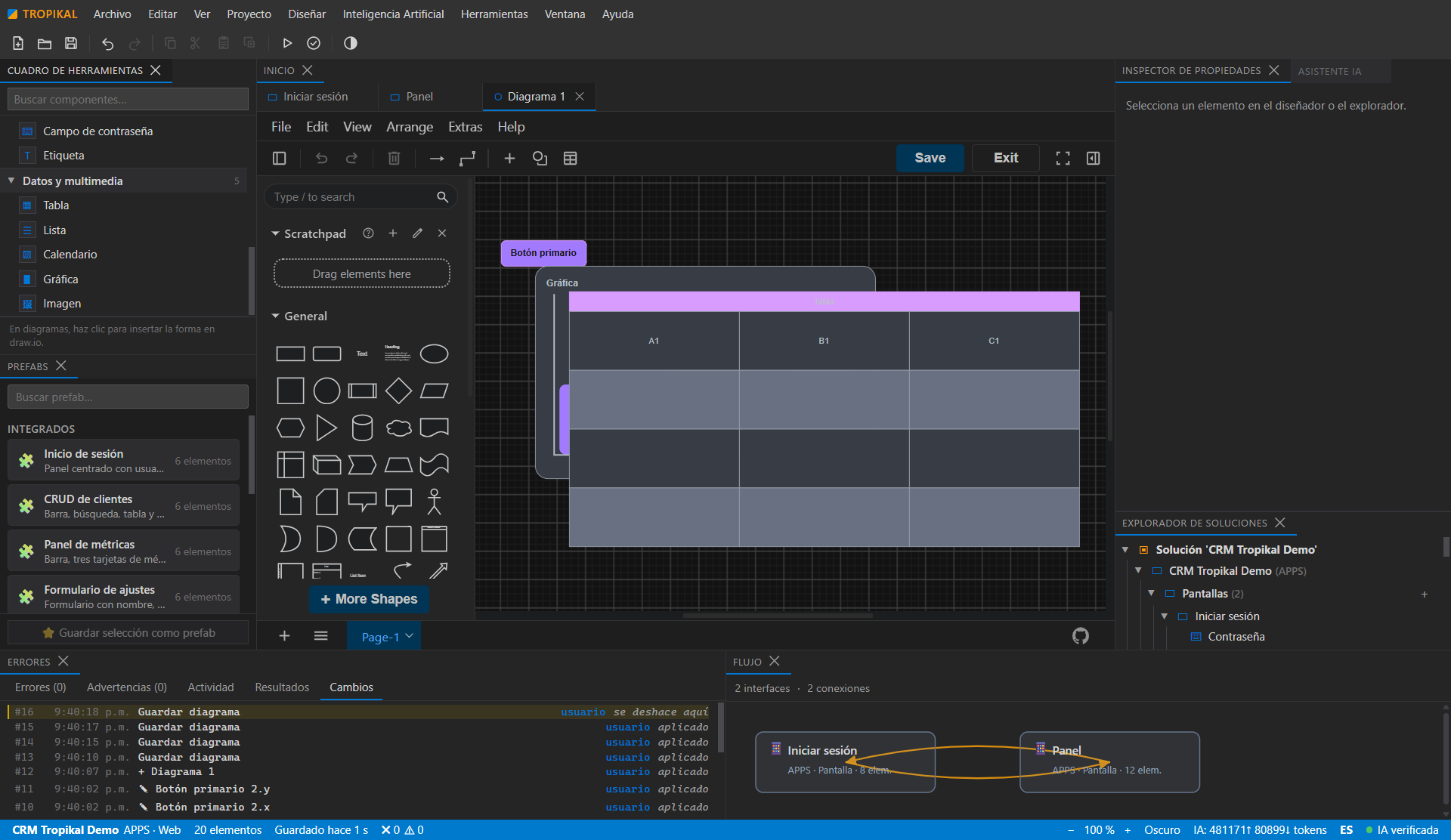
draw.io integradoBuilt-in draw.io
Diagrama procesos, lógica y datos sin salir del IDE. Los diagramas forman parte del modelo del proyecto.Diagram processes, logic and data without leaving the IDE. Diagrams are part of the project model.
Modelo semántico con procedenciaSemantic model with provenance
Cada elemento sabe quién lo creó: lo que tú definiste vs lo que la IA dedujo. Todo es revisable, editable y aprobable.Every element knows who created it: what you defined vs what the AI inferred. Everything is reviewable, editable and approvable.
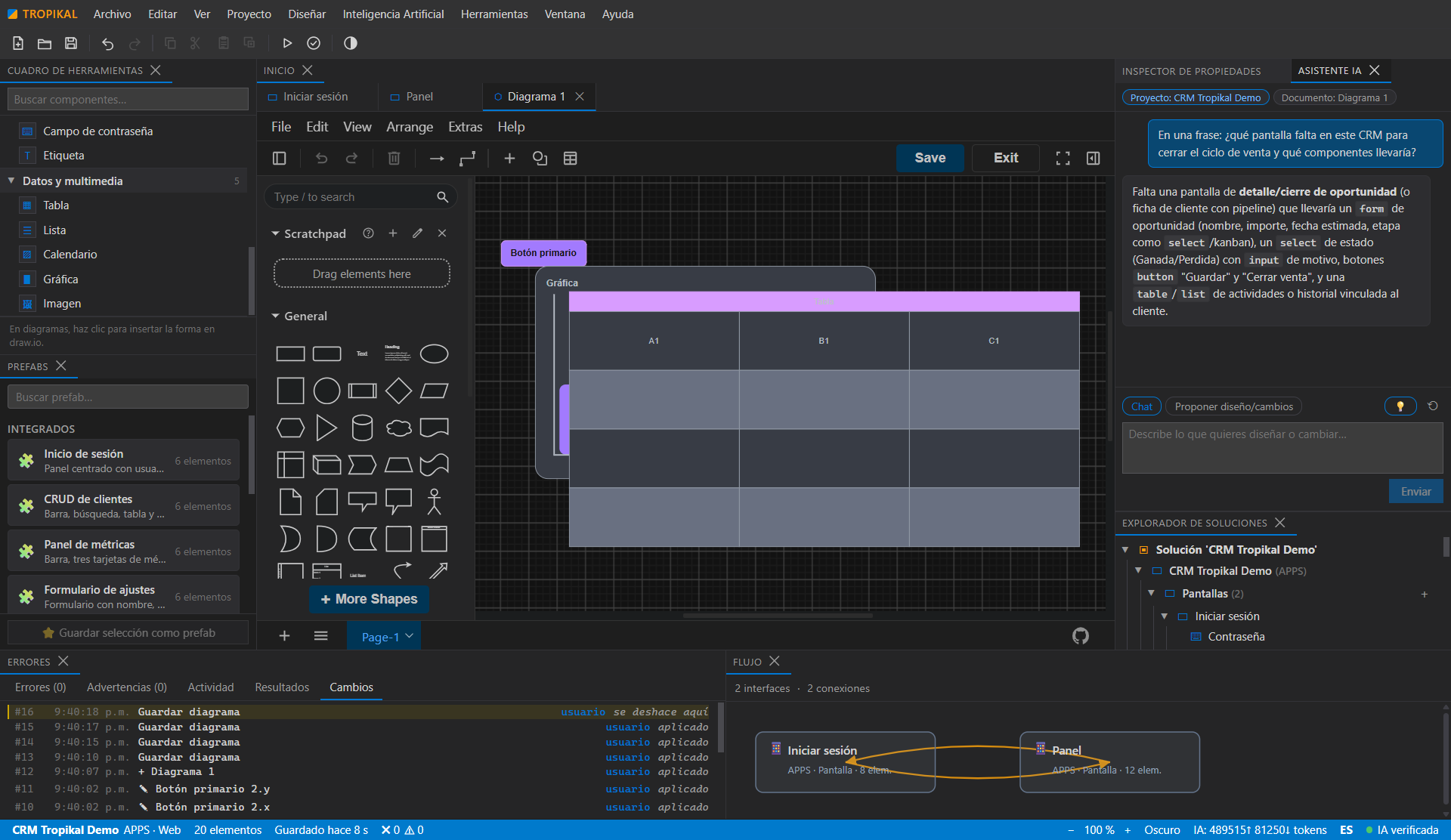
IA multi-proveedor con aprobación humanaMulti-provider AI with human approval
Conecta el proveedor de IA que prefieras con tus propias claves. La IA propone; tú apruebas. Nada se aplica a ciegas.Connect your preferred AI provider with your own keys. AI proposes; you approve. Nothing is applied blindly.
Estándar TPPTPP standard
Los proyectos se guardan como paquetes Tropikal Project Package (TPP): abiertos, portables y verificables.Projects are saved as Tropikal Project Package (TPP) files: open, portable and verifiable.
Multiidioma es/enBilingual es/en
Interfaz y portal en español e inglés, con cambio instantáneo. Como este sitio.Interface and portal in Spanish and English, with instant switching. Like this site.
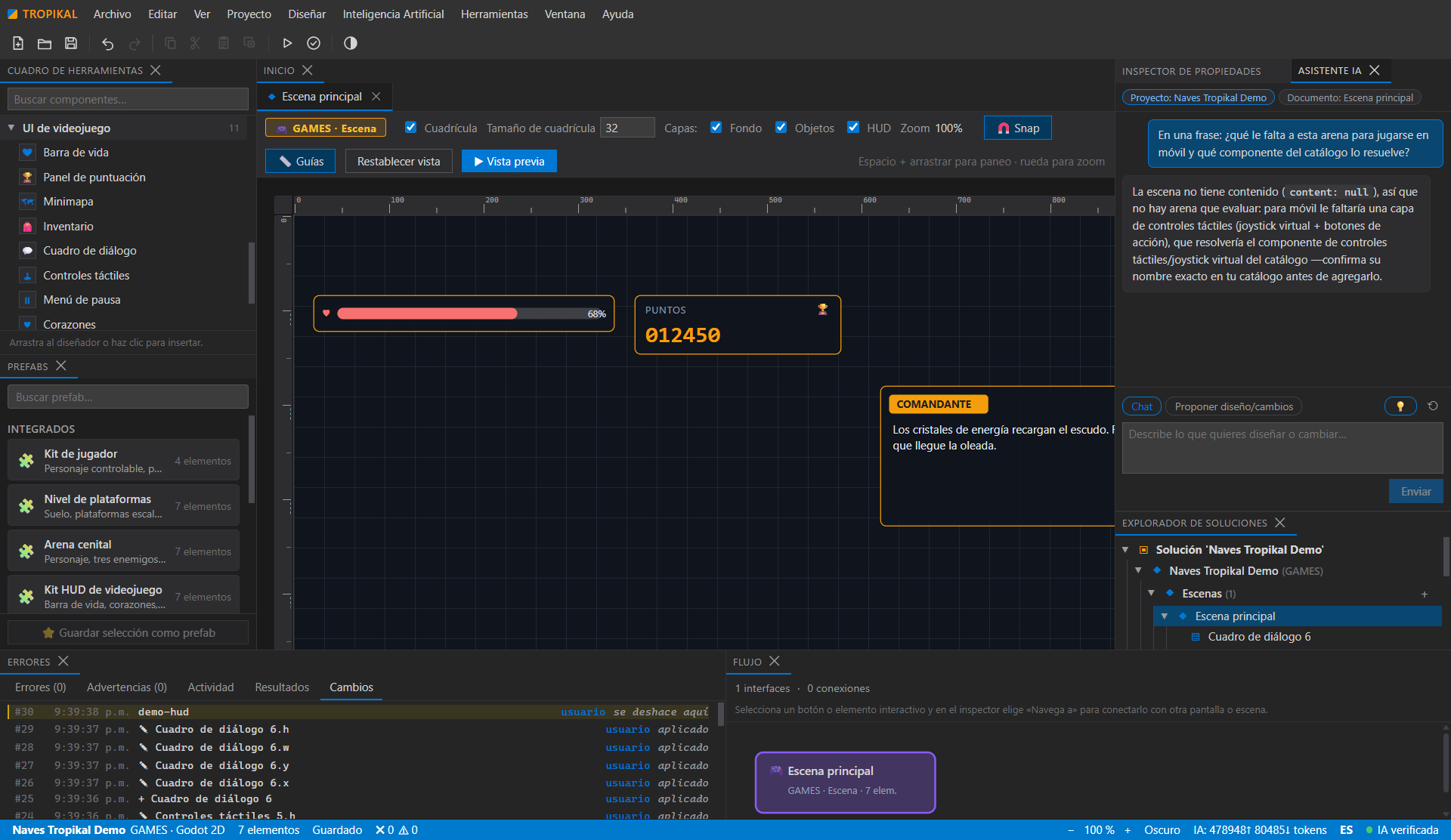
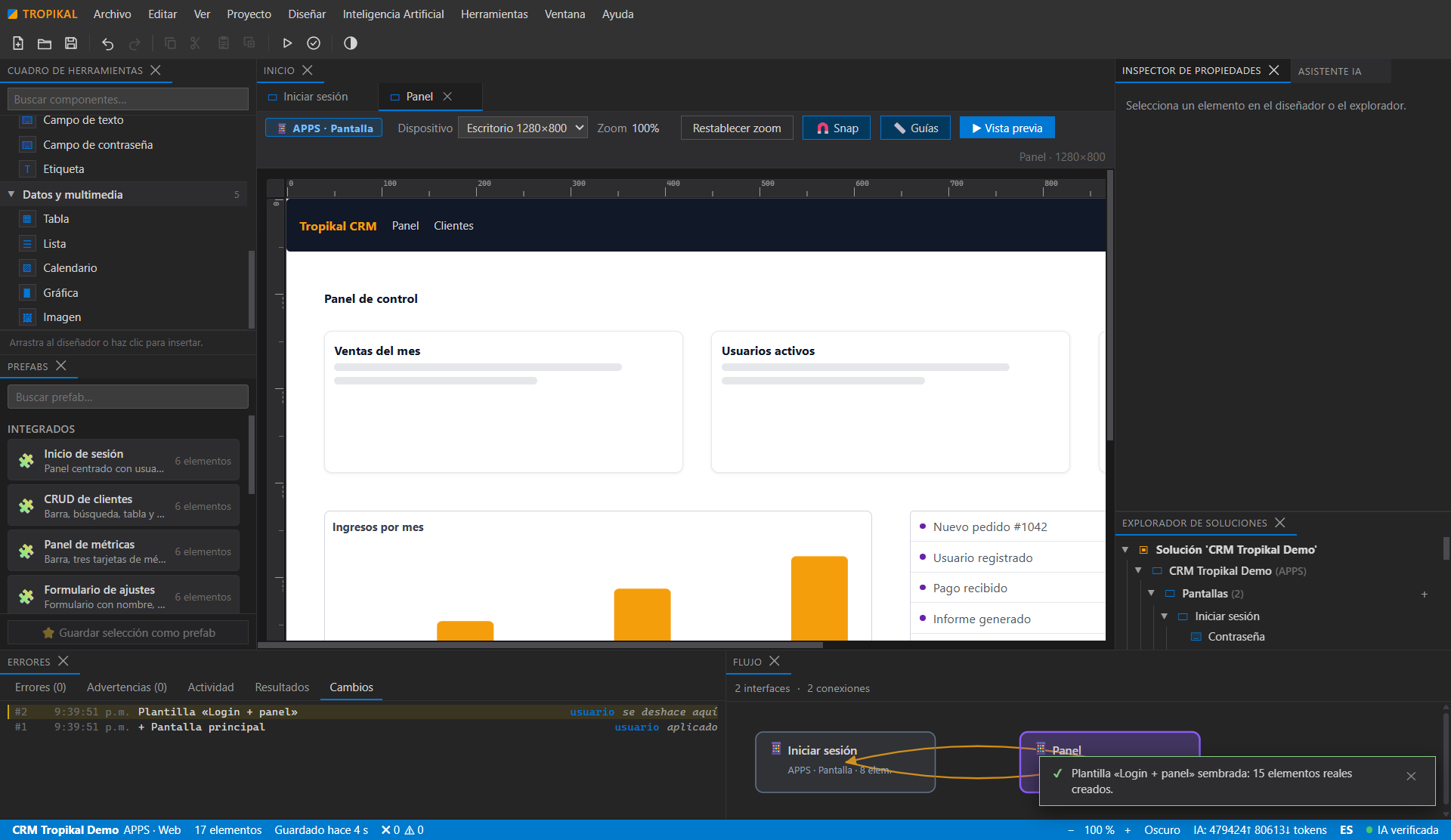
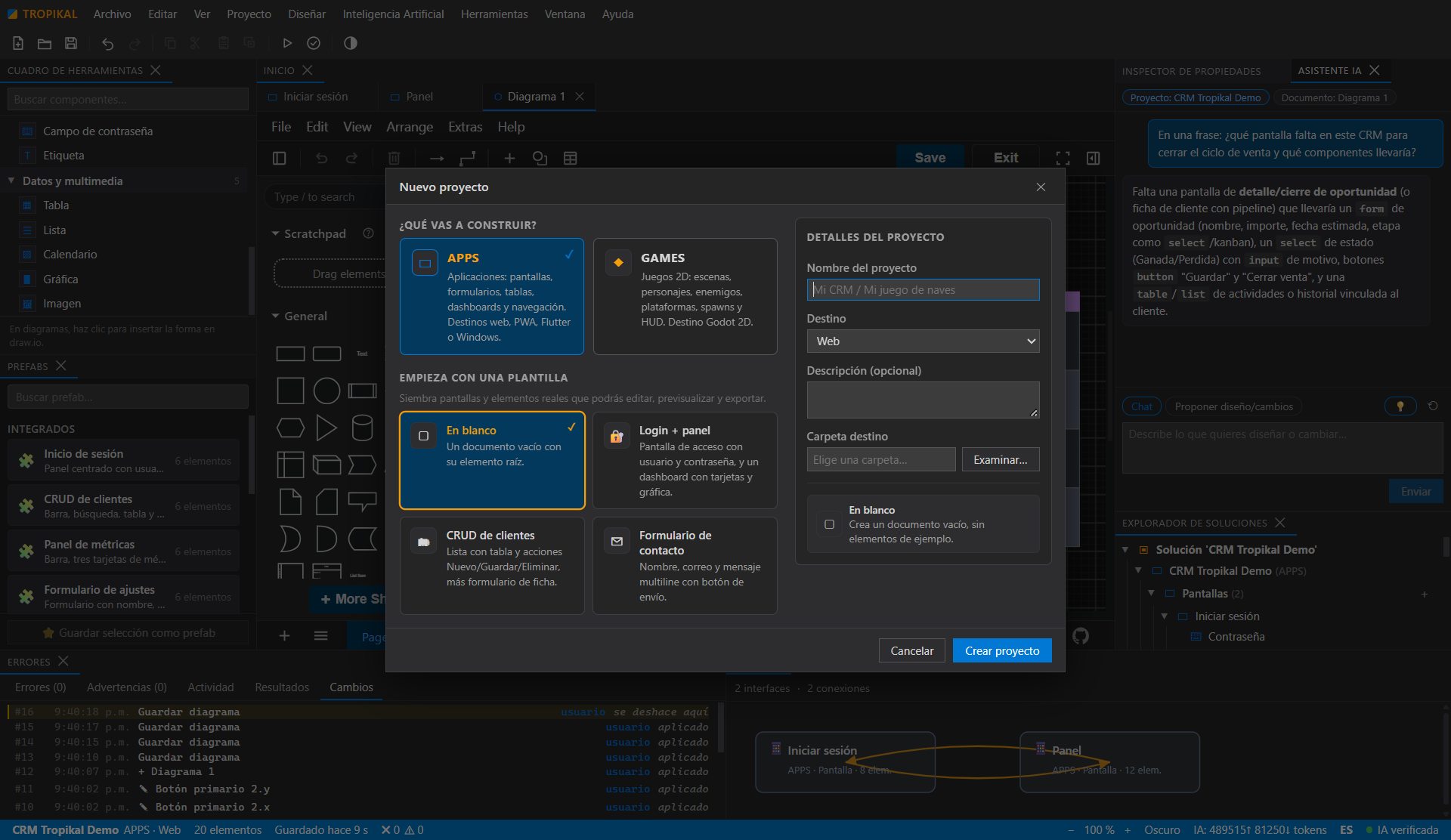
05Capturas reales de la 0.1.6Real screenshots of 0.1.6
Todas las imágenes son capturas de la aplicación compilada y publicada, no maquetas. Proyectos de demostración creados con el wizard de arranque. Every image is a screenshot of the compiled, published application — not a mockup. Demo projects created with the quick-start wizard.
06PrecioPricing
Gratis durante la fase inicial.Free during the initial phase.
Sin tarjetas de pago, sin cuentas, sin suscripciones. Descarga el IDE y úsalo. Si más adelante hay planes de pago, se anunciarán aquí con claridad y lo ya publicado seguirá siendo tuyo.No credit cards, no accounts, no subscriptions. Download the IDE and use it. If paid plans come later, they will be announced here clearly, and what has already been released stays yours.
Nota: el uso de proveedores de IA externos puede tener costos propios del proveedor; tus claves y tu consumo son tuyos.Note: external AI providers may charge their own usage fees; your keys and your usage are yours.
07DescargarDownload
Consultando las descargas disponiblesChecking available downloads
Versión del portal: 0.1.11. Los enlaces, tamaños y huellas SHA-256 se cargan desde el manifiesto de publicación. Si no aparecen, recargue la página.Portal version: 0.1.11. Download links, sizes and SHA-256 hashes are loaded from the release manifest. If they do not appear, reload this page.
- IDE de escritorio para Windows con estudios APPS y GAMES.Windows desktop IDE with APPS and GAMES studios.
- Editor visual con draw.io integrado y modelo semántico con procedencia.Visual editor with built-in draw.io and a semantic model with provenance.
- Asistente de IA multi-proveedor con aprobación humana.Multi-provider AI assistant with human approval.
- Proyectos en formato TPP e interfaz es/en.TPP project format and es/en interface.
- Instalador .exe y versión portable .zip, con tamaño y SHA-256 publicados aquí..exe installer and portable .zip, with size and SHA-256 published here.
Descarga TROPIKAL APPS & GAME STUDIODownload TROPIKAL APPS & GAME STUDIO
Gratis. Windows 10/11 x64. Verifica el SHA-256 antes de instalar.Free. Windows 10/11 x64. Verify the SHA-256 before installing.
Transparencia: las capturas de este portal son imágenes reales de la versión 0.1.6 compilada y verificada end-to-end (34/34 pasos). Las imágenes se obtienen operando la app por DevTools, sin maquetas. La IA es real por streaming con tus propias claves; no usamos IA simulada ni cifras inventadas. Lo que aún no existe (generadores Flutter/Godot completos) se anuncia como previsto, no como hecho. Transparency: the screenshots on this portal are real images of version 0.1.6, compiled and verified end-to-end (34/34 steps). The images come from driving the app through DevTools, not from mockups. The AI is real streaming with your own keys; no fake AI demos, no made-up numbers. What does not exist yet (full Flutter/Godot generators) is announced as planned, not as done.